Free forever
Dollar & Sense is free to use, without subscriptions, ads, or paid unlocks.
 Dollar & Sense
Family chores, allowance, and shared balances on Apple devices.
Dollar & Sense
Family chores, allowance, and shared balances on Apple devices.
Dollar & Sense is a family chore app for iPhone, iPad, Mac, and Apple Watch. Create shared accounts, assign recurring chores or regular expenses, let kids mark work complete, and approve pending transactions before money is added to the balance.
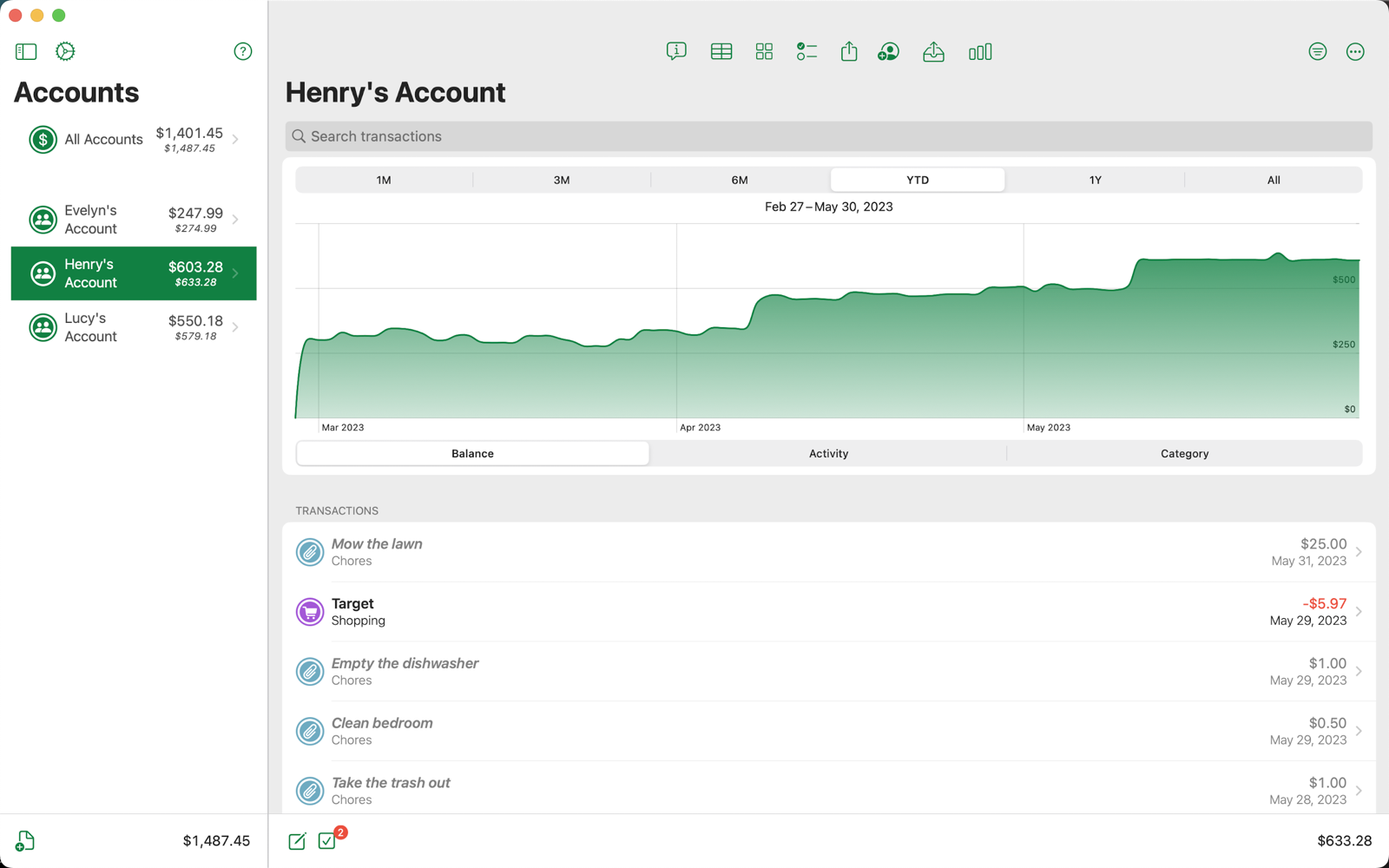
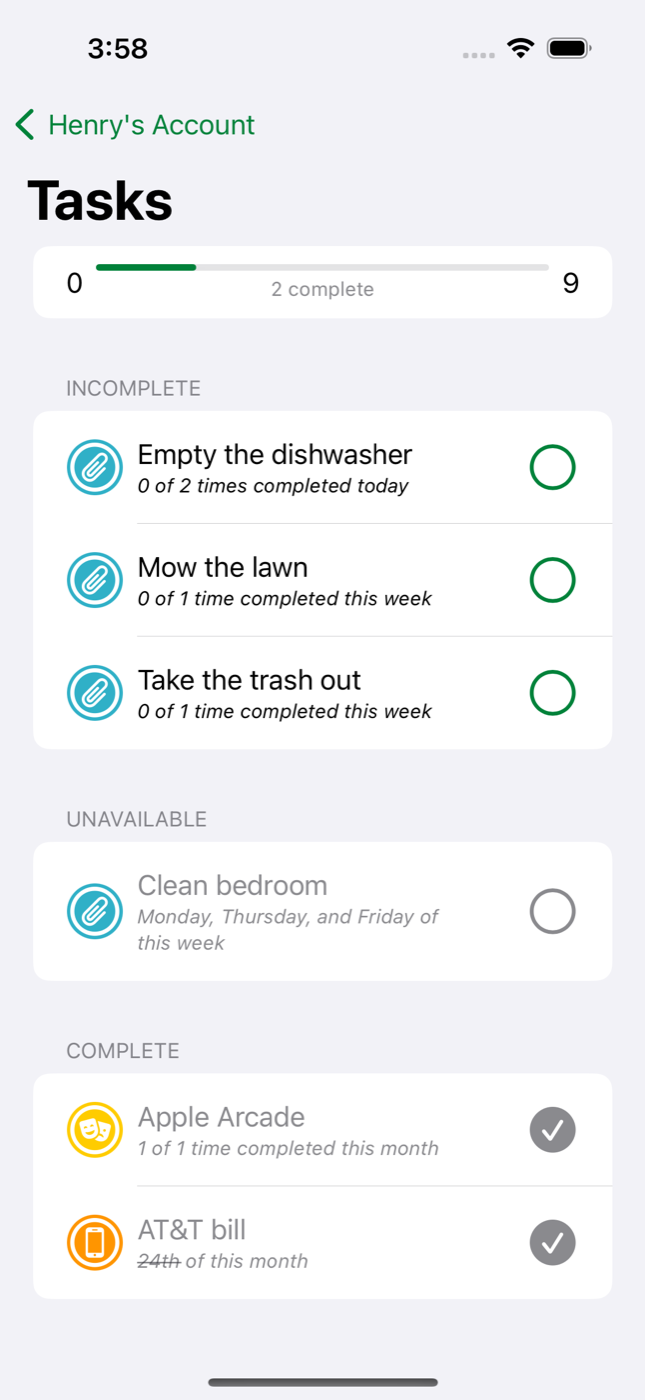
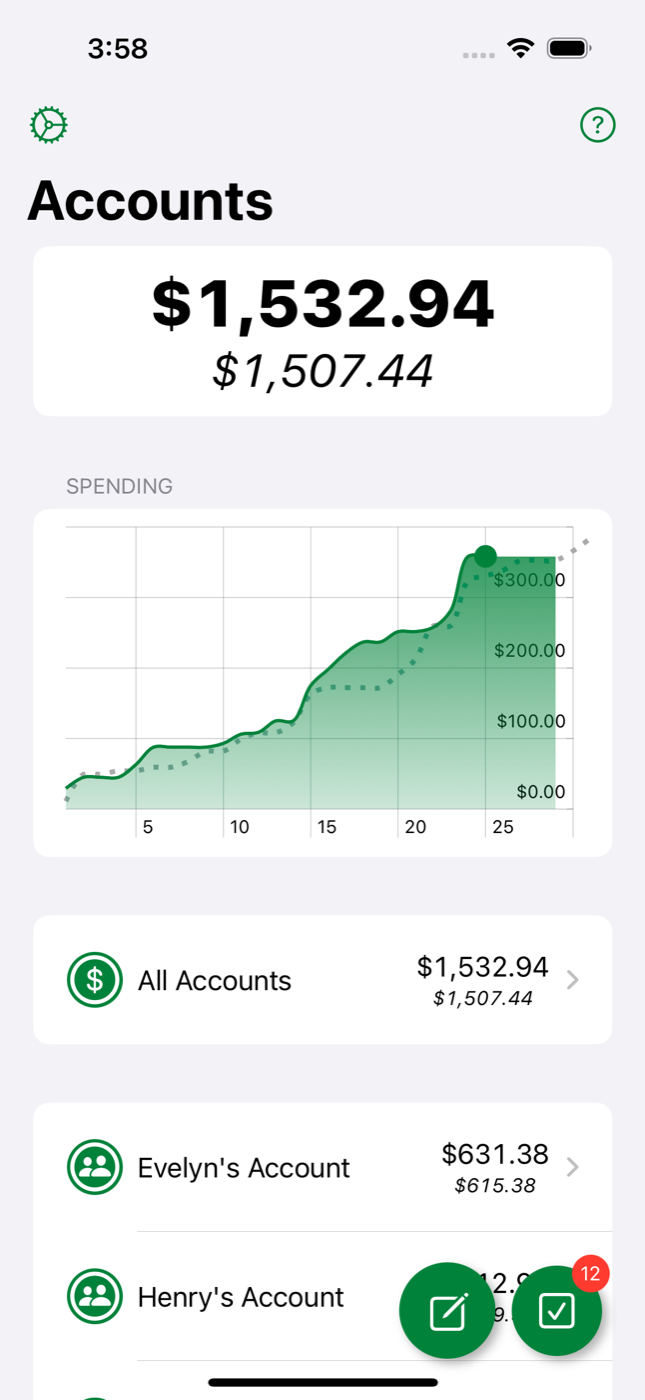
Dollar & Sense is a family allowance app for households that want more structure than a paper chore chart and more control than a generic budgeting app. Built with privacy in mind, it helps families track chores, recurring jobs, one-off transactions, pending approvals, and account balances in one shared system.
If you need a kids chore tracker on iPhone without sign-up friction or third-party tracking, this is the point of the app.
Dollar & Sense is free to use, without subscriptions, ads, or paid unlocks.
There is no separate account system. If you use Apple devices, you already have what you need.
Data stays local to your devices and optional iCloud sync, without third-party analytics or trackers.
Parents and kids can share the same accounts with permission controls that fit each person.
Built for iPhone, iPad, Mac, Apple Watch, widgets, Shortcuts, and more.
Dollar & Sense is designed for the actual parent-child workflow, not just for entering numbers into a ledger.
Set up a dedicated account for one child, a shared household balance, or any other family bucket you want to track.
Invite family members using Apple's sharing flow, then keep access limited or flexible with per-person permissions.
Create tasks that recur daily, weekly, on specific weekdays, or on a day of the month so the app matches real family routines.
Kids can mark work complete and parents can approve pending transactions before the account balance is officially updated.
The app covers the practical details that families usually end up improvising with spreadsheets, notes, and reminders.
Track chores like taking out the trash and monthly items like a streaming subscription in the same family account structure.
When a child completes a task, the transaction can stay pending until a parent confirms the work and applies the amount.
Control who can create, edit, delete, or fully confirm transactions, categories, and tasks in a shared account.
See balance trends, recent activity, and category-level changes so a family account feels understandable at a glance.
Put balances and incomplete tasks where the family actually looks, including iPhone widgets and Apple Watch complications.
Check balances, list accounts, fetch tasks, and complete tasks through system-level shortcuts on supported Apple platforms.
Export transaction data for backup or reporting, and import when you need to bring structured data back in.
The app is not just stretched phone UI. It supports large screens, desktop workflows, watch usage, and Apple's wider device ecosystem.
From iPhone to Apple Watch, Dollar & Sense keeps the same family story visible across the Apple ecosystem.
Create accounts, approve chores, check balances, and handle family updates from the device everyone already carries.
Use split layouts, larger charts, and a broader account view when you want a more spacious family dashboard.
Review transactions, categories, and balances on a bigger screen with a layout better suited to desktop browsing.
See balances, tasks, and quick actions from your wrist with a dedicated watch app and complications.
Dollar & Sense also supports Apple's broader platform family, including a native visionOS experience.
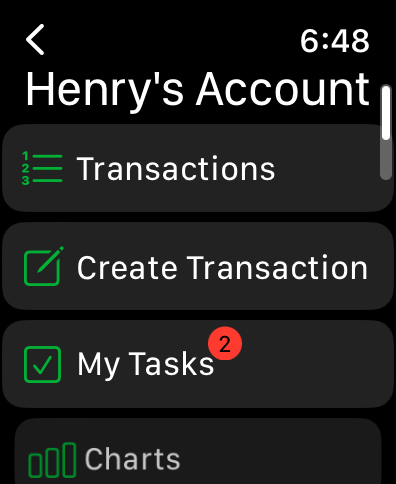
Dollar & Sense includes a real watch experience for checking balances, jumping into account actions, and keeping chore progress visible even when the phone is not in your hand.
Each screen is there to make family account management feel obvious instead of heavy.
See family balances, pending totals, and recent spending from a high-level home screen.
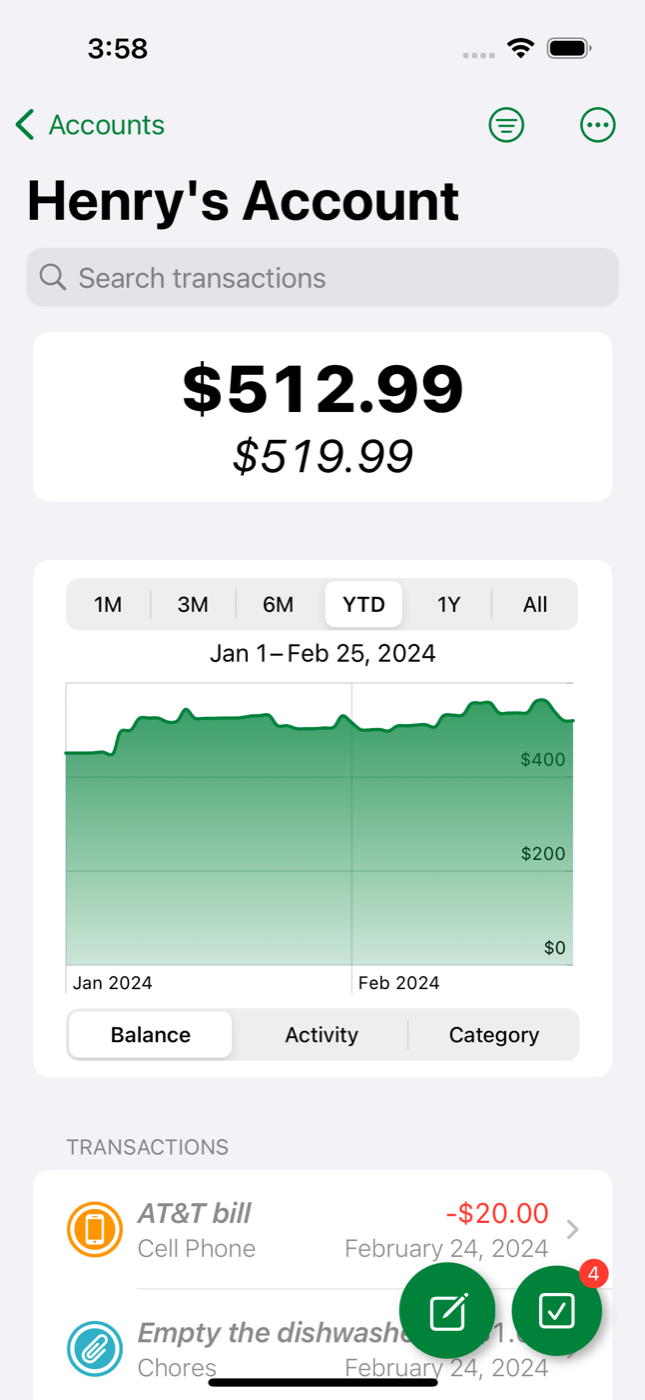
Review one account's balance, history, search, and transactions in one place.
Give kids a clear list of incomplete, unavailable, and completed chores for the day or week.
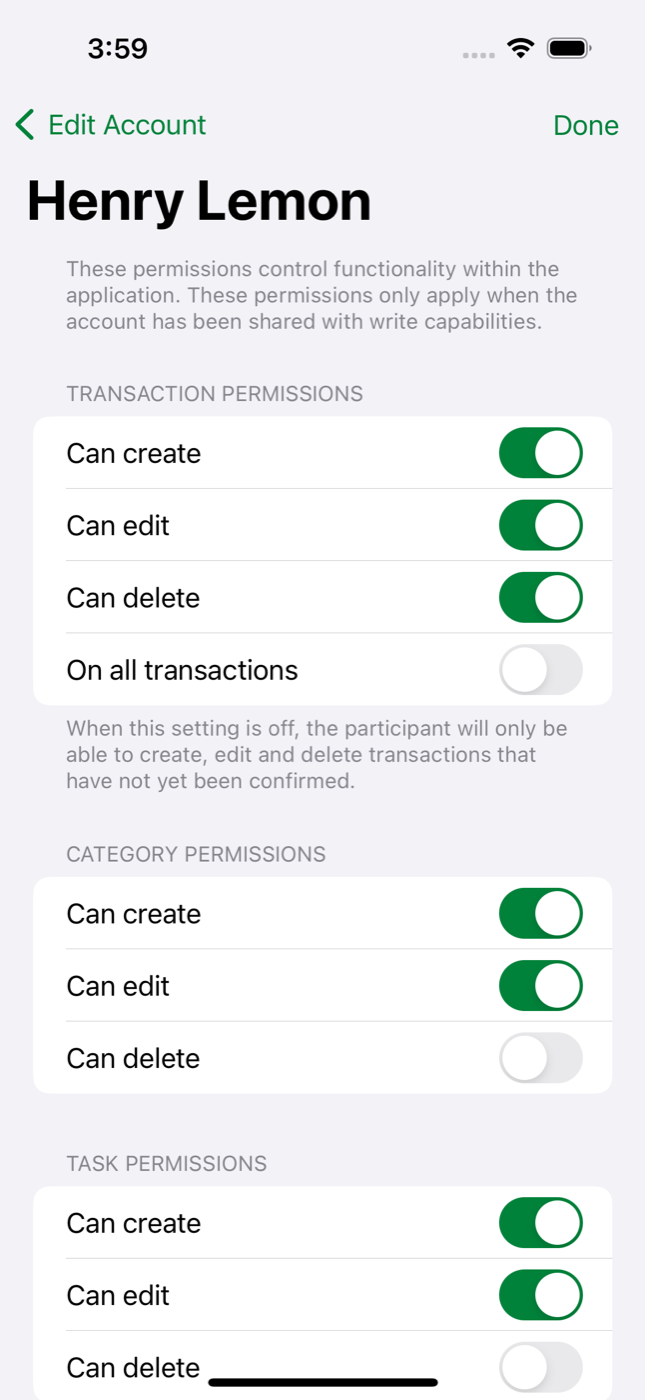
Control who can create, edit, delete, and confirm transactions, categories, and tasks in shared accounts.
Review balances and recent transactions from a desktop layout when you want more room.
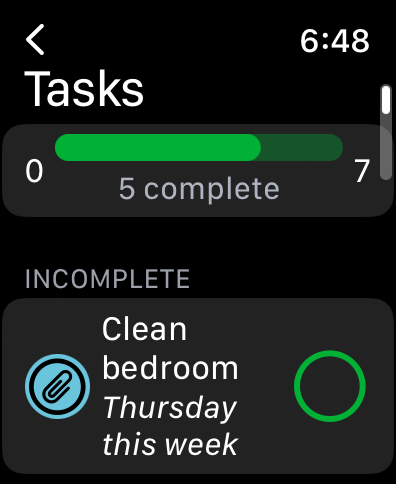
Keep chore progress visible on the wrist with a focused task list and completion gauge.
Start with the short answer first, then go deeper in the support and privacy pages if you need details.
Dollar & Sense is a family chore app and allowance tracker for Apple devices, built with privacy in mind. It lets families create shared accounts, track chores and other transactions, and keep balances in sync through iCloud.
Yes. Dollar & Sense is free to download and use. There are no subscriptions, ads, or paid feature tiers on the website or in the app.
No. There is no separate sign-up flow inside Dollar & Sense. Sharing is handled through Apple and iCloud, so families use the Apple accounts they already have.
Parents can create an account for a child, add chores or other earning rules, and let the child mark tasks complete. Those transactions can stay pending until a parent approves them.
Yes. Pending transactions are one of the app's core workflows. A chore can be submitted first and then officially confirmed by a parent before it changes the account balance.
Yes. Many families use the same account structure for recurring expenses, subscriptions, or spending buckets in addition to chores and allowance.
Yes. The app works locally on your device even if you do not use iCloud. iCloud becomes valuable when you want sync, backup, or shared family accounts.
Dollar & Sense supports iPhone, iPad, Mac, Apple Watch, and visionOS. Support details can change over time, but the app is designed as a multi-device Apple experience.
Yes. The app includes widgets and Apple Shortcuts support so families can see balances, tasks, and account actions in more places than the main app screen.
Yes. Dollar & Sense includes export functionality so you can take transaction data out of the app when you need a backup or a separate record.
No. Dollar & Sense is built for Apple's device ecosystem and is not available on Android.
Download Dollar & Sense on the App Store, or start with the support page, privacy policy, and terms of service.
Looking for the latest product changes? Read the changelog.